How to Use a Desk Planner Pad to Plan Your Week
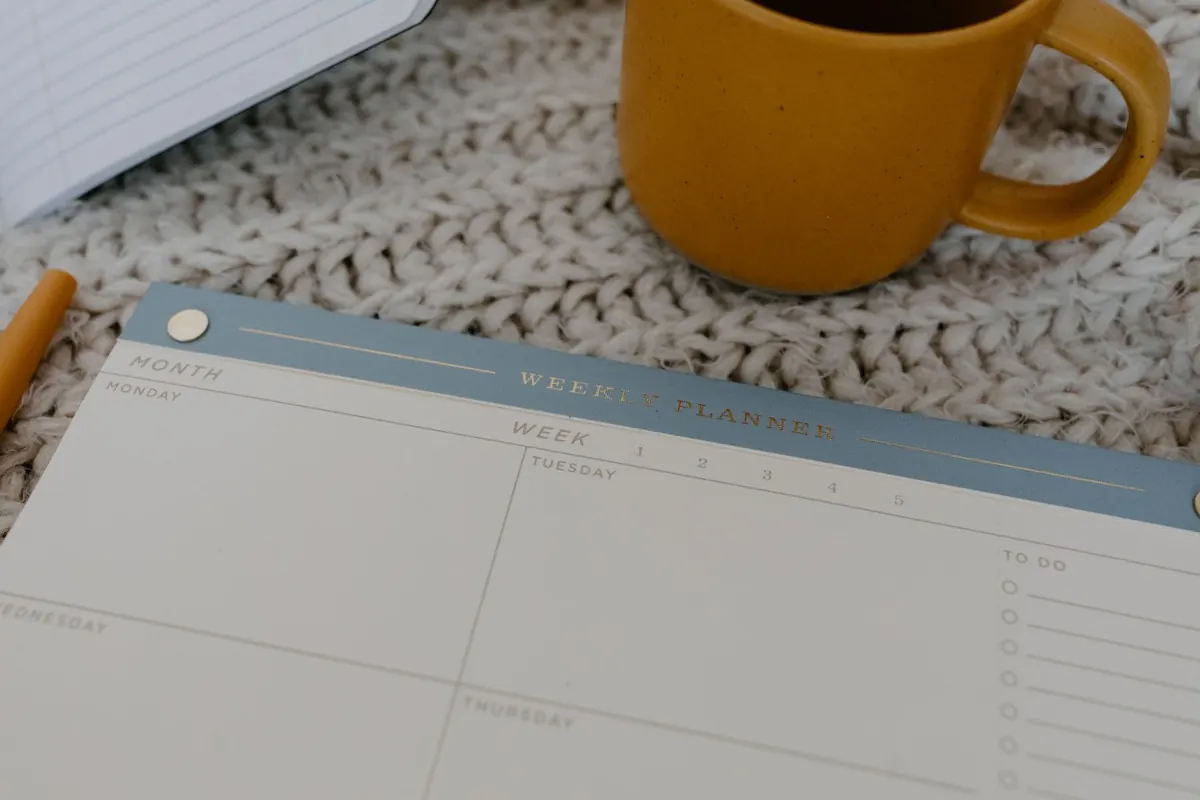
A desk planner pad is the least ambitious object on your desk. No app, no sync, no subscription, no notifications. That is exactly why it works. You open it, the whole week is in front of you at once, and nothing on the page can rearrange your Tuesday without telling you.
The pad itself is not the method, though. Plenty of people buy one in January, fill in the first week with enthusiasm, then use it as a coaster by March. What follows is a weekly routine that takes about fifteen minutes to set up and roughly two minutes a day to keep running.
Why paper still earns its space
Screens are excellent at telling you what is happening next. They are much worse at showing you what the week looks like as a shape. A week-to-view page does that in one glance: three heavy days, two light ones, a gap on Thursday afternoon you had forgotten about.
There is also the small friction of writing by hand. Typing a task takes a second and commits you to nothing. Writing it takes three seconds and a decision about where it goes. That pause is useful, not annoying.
Set the page up before you fill it in
Most pads give you the same three resources: a line per day, a narrow column at the side, and a notes block somewhere near the bottom. Decide what each part is for before the week starts, or the notes block becomes a graveyard for half-finished thoughts.
- Main day lines: appointments, meetings and anything with a fixed time.
- Side column: your two or three priorities for the week — the things that would make the week feel worthwhile even if nothing else got done.
- Notes block: the running list. Things you are waiting on, phone numbers, a book title someone mentioned, the name of the person in accounts who actually answers emails.
- One corner: leave it empty on purpose. This is where anything that slipped gets parked instead of being scribbled over.
If you are choosing a pad, an undated week-to-view is usually the most forgiving, because a missed week costs you nothing. Check the paper with your usual pen before committing — a pad that bleeds through turns the next page into a mess.
The fifteen-minute week setup
Do this on Friday afternoon before you leave work, or on Sunday evening with a cup of tea. Friday is better if your week involves other people, because you can still send the email that prevents Monday's problem.
- Empty your head first. On a scrap of paper or the notes block, write down everything floating around. Do not organise it yet. The aim is to stop carrying it.
- Mark the fixed points. Dentist, school run, the 9am call, the train, the deadline that belongs to someone else. These go on the day lines and nowhere else.
- Choose three priorities. Not twelve. Three. A priority is something that needs more than ten minutes and that you would regret not doing. If you cannot name three, name two.
- Turn each priority into one action. "Sort out the insurance" is a wish. "Ring the insurer and get the renewal figure" is a task. Give each action a day. Wednesday is fine. It just needs somewhere to live.
- Add the small stuff to the notes block. Errands, replies, the thing you keep forgetting to order. Keep it to a single list you will actually read.
- Leave the corner empty. Four or five lines of blank space. You will need them.
Fifteen minutes, most of it spent thinking rather than writing.
Working the pad during the week
A planner pad fails when it is treated as an archive. It is a working surface, so mark it up.
On Monday morning, read the whole week before you read your inbox. You are looking for clashes and for the day where nothing is scheduled — that is your best slot for the biggest priority, and it will be gone by lunchtime if you do not claim it.
At the end of each day, spend two minutes with the pad. Cross out what is finished, ideally with a satisfying line through it. Move anything undone to a specific day rather than leaving it hovering. Add tomorrow's one thing you would like to be true by five o'clock.
Midweek, on Wednesday, take a slightly longer look. Is the week going roughly where you expected? If a priority has not been touched, either give it a firm slot on Thursday or Friday, or admit it belongs to next week and write it there. Both are fine. Pretending is not.
Use the notes block as a working list, not a filing system. Once something is dealt with, cross it out and later tear the page off when the week ends. If a note is still outstanding after two weeks, it is not a note. It is a decision you are avoiding.
When the week goes sideways
It will. A sick child, a client emergency, a day that disappears. The temptation is to abandon the pad and start again on Monday, but the pad is more useful in a bad week than a good one.
Do not rewrite the page to make it look tidy. Draw a line through the ruined day, put the essentials into the empty corner, and carry on. A planner that only records the weeks that went to plan teaches you nothing about how your time actually behaves.
Three habits that make the difference
Keep it in the same place. A pad that moves around the house gets ignored. Left of the keyboard, or on the shelf with the pens, always.
Keep one pen with it. Clipped to the pad if possible. Friction is the quiet killer of any paper system.
Write in pen, correct in pen. Scribbles and crossing-out are part of the record and make the page look used, which makes you more likely to use it again.
Try it for four weeks
One week tells you nothing. Give the routine four weeks before you judge it, and adjust one thing at a time — maybe your priorities move to the top of the page, or you swap the Sunday setup for Friday afternoon.
If you keep the setup short, the daily touchpoint even shorter, and the pad in one fixed spot, the method becomes something you do without deciding to. That is the whole point: a weekly plan you can trust, on a page you can see, with no one else's software in the middle of it.
Photo: Tara Winstead / Pexels